

Build your collection.
Study what’s due.
Cortex is a flashcard app that uses spaced repetition to help you review before you forget. Create your own cards or bring your Anki collection, and build shared decks with others.
Private beta now. Public App Store release coming soon.
How is cardiac output calculated?
Think of your answer, then reveal it.
Cortex on Mac,
iPad, and iPhone.
Your cards, notes, and study progress sync across devices.
See how Cortex works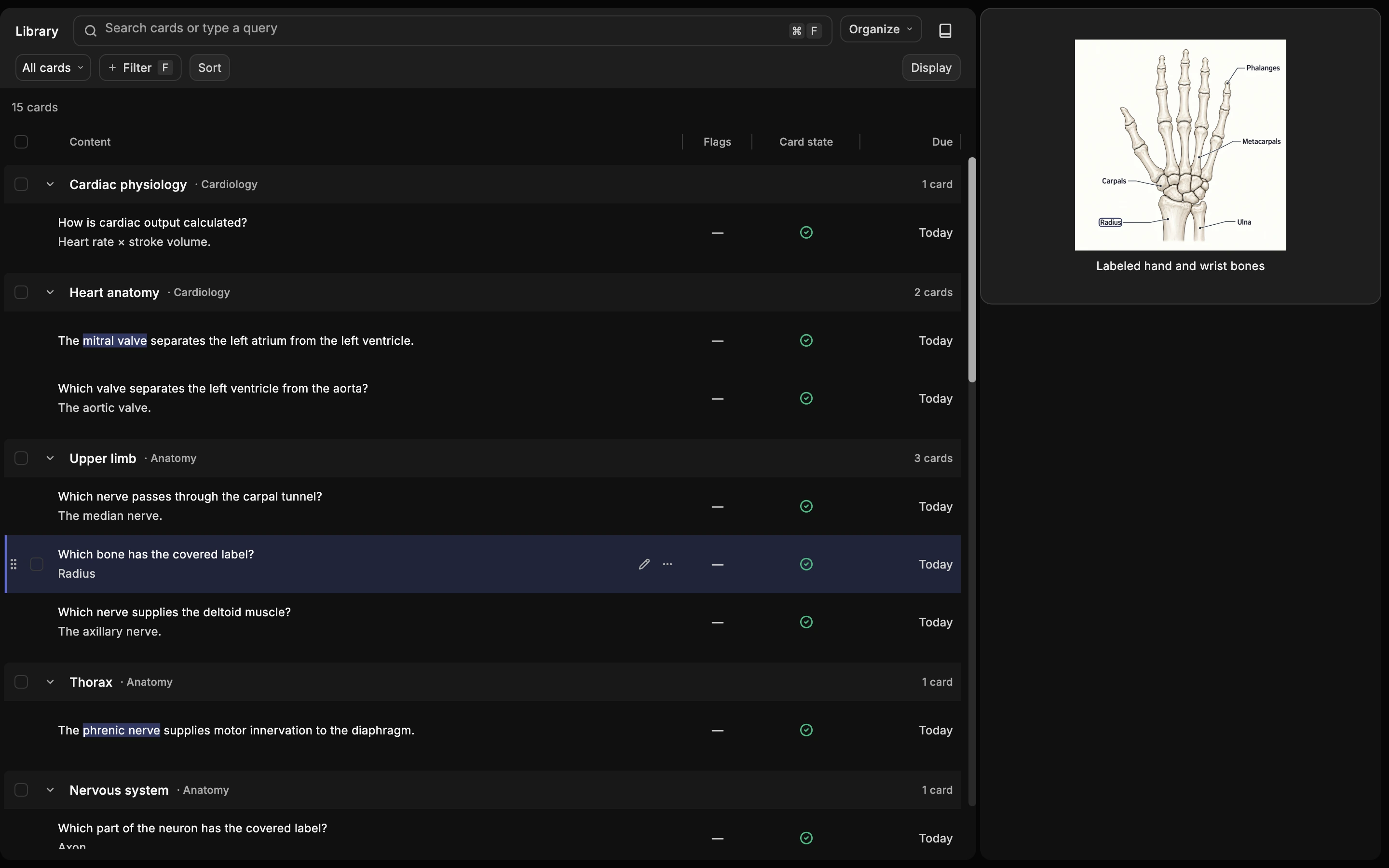
Mac
Organize your collection.
Find cards and preview their content in Library.
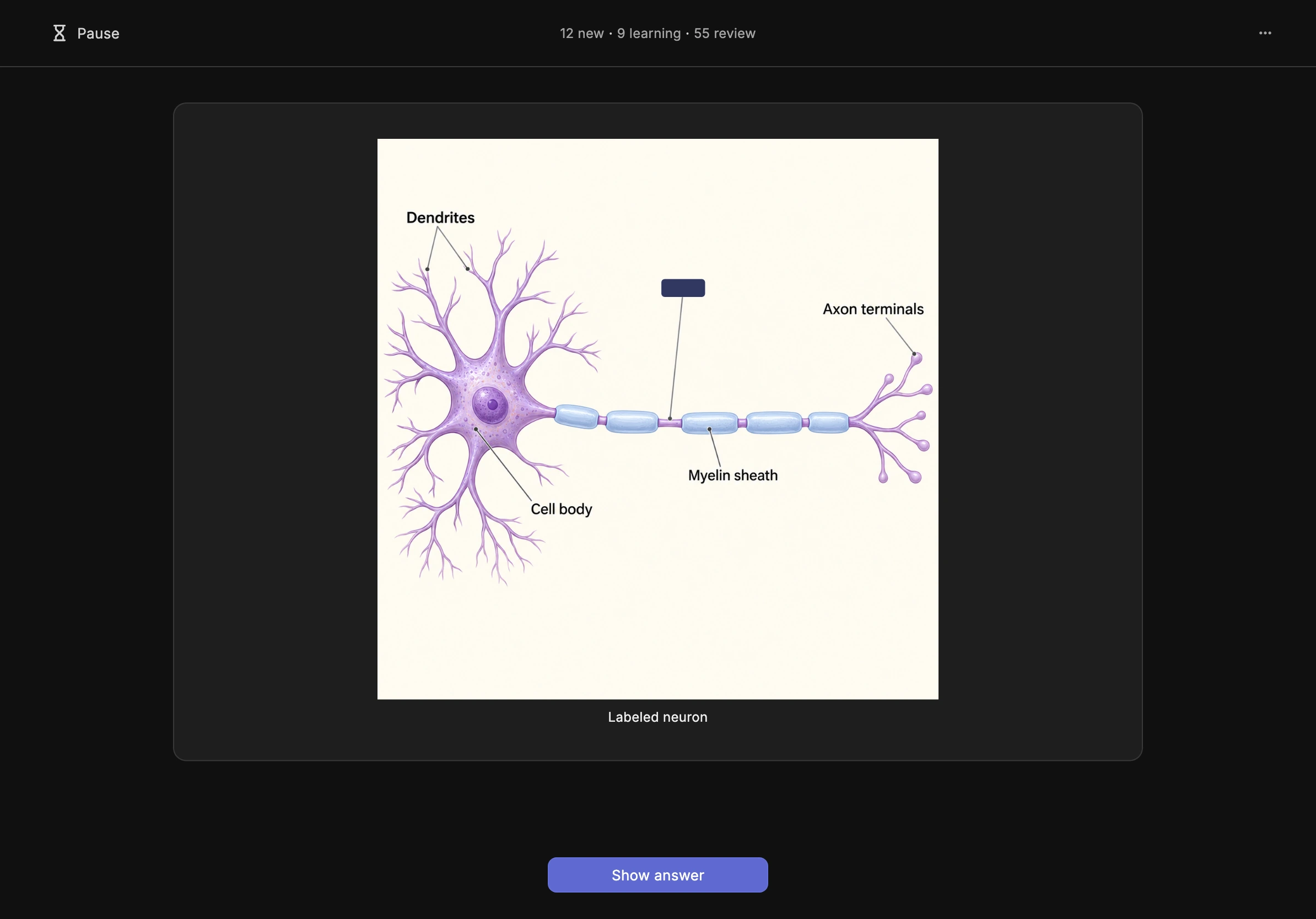
iPad
Study in landscape.
Review image occlusion questions in landscape.
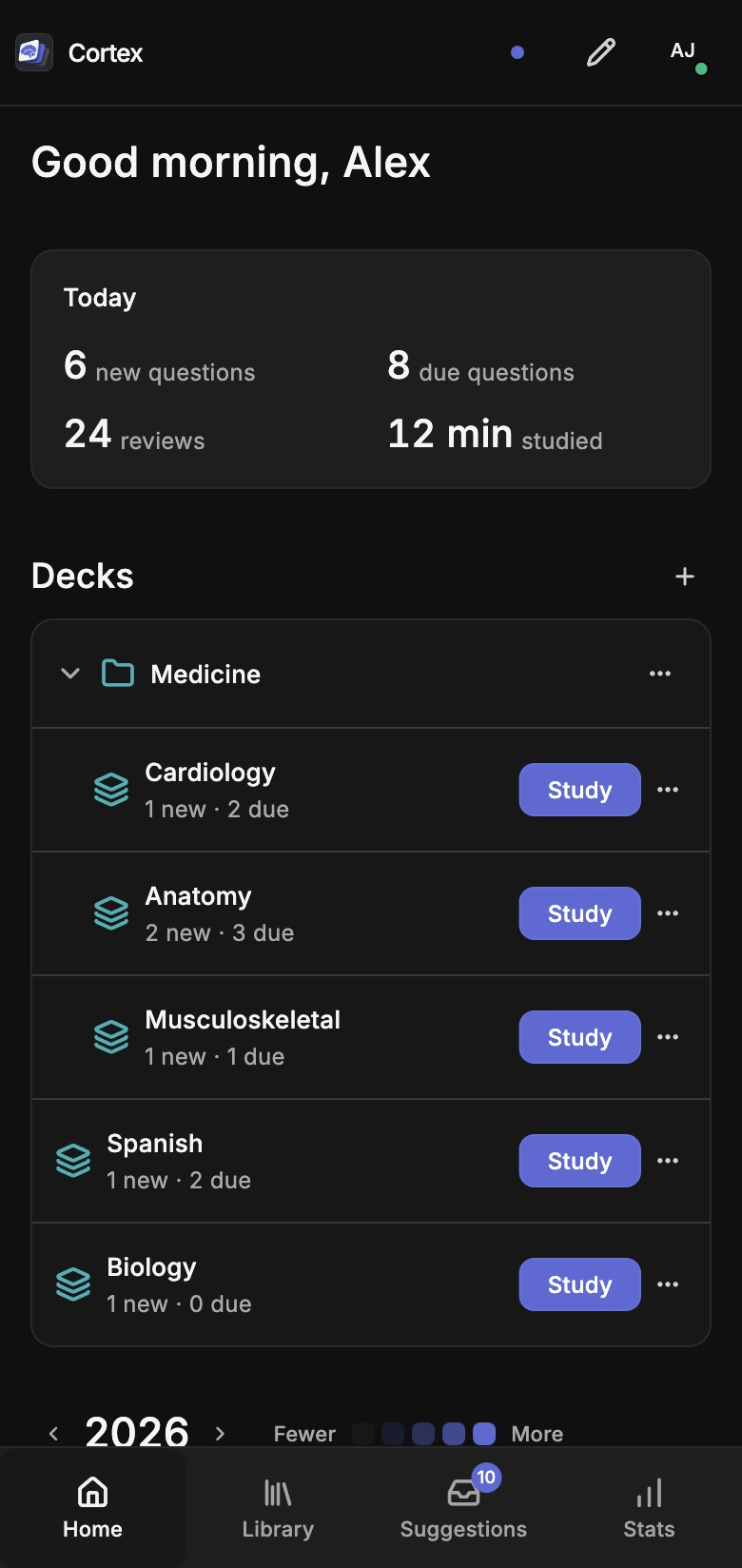
iPhone
See what’s due.
Check today’s questions and choose a deck.
Select a device for a closer look. App previews use sample content.
Make cards together.
Keep your own progress.
Build a deck with classmates or other learners. Cortex Plus lets you download shared decks and contribute cards and improvements. Everyone keeps their own notes and study progress.
Explore collaborationComing from Anki?
- Shared decks inside the app. Find decks and contribute improvements without leaving Cortex.
- One app across your devices. Create and study on Mac, iPhone, and iPad with the same account.
- Built-in study tools. Use shortcuts and a study remote with action mappings that sync across devices.
Bring supported cards, media, and study progress with Cortex Plus.
See what’s differentStart free. Add Cortex Plus.
Create, study, and share your own decks for free. Plus adds Anki import, shared deck downloads, and collaboration on other people’s cards.
US pricing: $7.99/month or $59.99 / year. Public App Store release coming soon.
Compare Free and PlusQuestions about Cortex
What platforms are supported?
Cortex is currently in private beta on Mac, iPhone, and iPad, with an App Store release coming soon. Get notified when Cortex launches. Android and Windows releases are planned for the future.
Is Cortex free?
Yes. Free includes creating, editing, studying, and sharing your own decks, syncing across devices, and 1 GB of cloud storage for your images and audio. Cortex Plus adds Anki import, downloads and updates from other people’s shared decks, contributions to their cards, and 10 GB of cloud media storage. US pricing is $7.99/month or $59.99/year. Regional prices are shown in the App Store before purchase.
Do I need to understand spaced repetition?
No. Think of the answer, reveal it, then choose Again, Hard, Good, or Easy based on how well you remembered. Cortex uses the Free Spaced Repetition Scheduler (FSRS) to plan your next review from your answers and review history. Choose a study preset to get started; advanced settings are available when you want them.
Can I bring my Anki collection?
Yes. With Cortex Plus, you can import supported cards, fields, tags, images, and audio from an Anki package, and choose to bring your schedules and review history. You can also import progress into matching cards in a shared deck you have access to. Custom styling, scripts, and some templates or add-on features won’t carry over. You can keep using your original collection in Anki, but Cortex and Anki do not automatically sync cards or reviews with each other. See what transfers from Anki.
Does Cortex work offline and sync across devices?
Yes. Once you’ve signed in and downloaded your decks, images, and audio, you can study and edit your own cards offline. Your changes save on your device and sync when you’re back online. Sign in with the same Cortex account on Mac, iPhone, and iPad to sync cards, personal notes, and study progress. Sync is included on Free. New downloads and shared deck updates need a connection.
How can I make cards with other people?
Create and share your own deck for free. Cortex Plus lets you download other people’s shared decks and contribute new cards, corrections, and explanations. Deck moderators review contributions before publishing them. Everyone studies at their own pace, with personal notes and study progress kept private. Invite-only decks and private course material still require access.